
How to Run your first Planning Poker session in Jira
Planning Poker is an essential technique for agile teams to estimate the effort required for backlog items collaboratively. It ensures that all team members have a voice in the estimation process and helps foster alignment. If you're new to this approach, this guide will walk you through running your first Planning Poker refinement session smoothly.
Step 1. Gather Your Team and Tools
Planning Poker is typically facilitated by the Scrum Master and is commonly conducted during Sprint Planning or backlog refinement meetings. To run a successful session, you'll need:
- Your team, including developers, testers, the product owner, and anyone who needs to give input to clarify the user stories under discussion
- A backlog of user stories Ready for Planning
- A Planning Poker tool (digital apps or physical cards for in-person sessions)
Step 2. Understand the concept of Relative Estimates
Ensure your team understands the concept of relative estimates and why story points work better than estimating in hours or days. Share the following posts with your team so everyone has the same understanding:
During the first meeting, ask if anyone has questions about relative estimates or Planning Poker before starting. If there are any questions you’re unsure about, feel free to post them here. This will help us improve the article and provide answers to common questions.
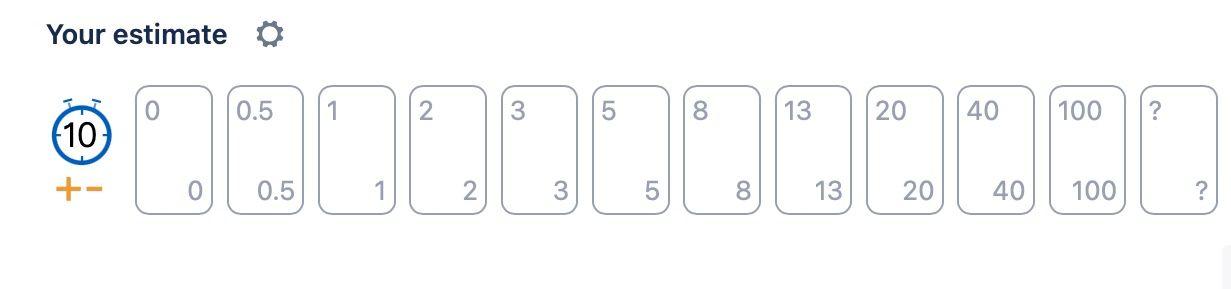
After a couple of refinement meetings, you might see a reason to remove or add cards - but for now - keep it simple and use the default card deck.
Step 4. Before giving an Estimate - Explain each Story Clearly
Before estimating a story, go through the story and clarify who your target users are, their motivations, purpose of story, it's expected outcome, etc. Encourage team members to ask questions, discuss implementation options and share insights.
If a story lacks sufficient details and some aspect needs further clarification, delay estimation until the story is ready for estimation. Check out Definition of Ready for more information.
Step 5. How to Estimate the First Story - Establishing a reference point
Estimating the first story can be challenging since there is no prior reference for comparison. To establish a reference point, start by allowing the team to identifying the smallest story in the backlog. Once the smallest story is found, assign it a low story point value, such as 2 or 3.
Avoid assigning a value as low as 0.5 or 1 for the reference story, unless you are certain you will not see a smaller story in your backlog. This ensures that when the team encounters an even smaller story later, lower values (e.g., 0.5 or 1) remain available.
From now on, this story serves as a “reference point” for future estimations. By establishing this baseline, the team can compare subsequent stories to it, ensuring consistent and relative estimation throughout the backlog.
It’s considered a best practice to establish a reference story for each story point value (e.g., 2, 3, 5, 8) over time. Doing so provides the team with concrete examples for different levels of complexity and effort. When a new story is being estimated, the team can compare it to these established reference stories to determine the most appropriate story point value. This practice helps maintain consistency in estimations and improves accuracy as the team builds a shared understanding of what each story point value represents.
For example, if the reference story is two story points, the team can compare new stories against it:
- If a new story seems to require roughly twice as much effort, assigning five-story points, might be appropriate.
- If a story seems to require more effort than five-story points, assigning eight-story points, or more should be considered.
As the team assigns story point values to more stories, they quickly develop a good feeling for matching story points to user stories based on their complexity and expected effort to implement.
Step 6. Voting and Discussion
- Each team member privately selects a card that represents their estimate.
- The Scrum Master reveals all estimates when everyone has selected.
- If estimates vary significantly, discuss the differences. Team members with high and low estimates should explain their reasoning.
- Repeat the estimation until consensus is reached or use the highest estimate as a precautionary approach.
With Smart Guess here is how it's done:
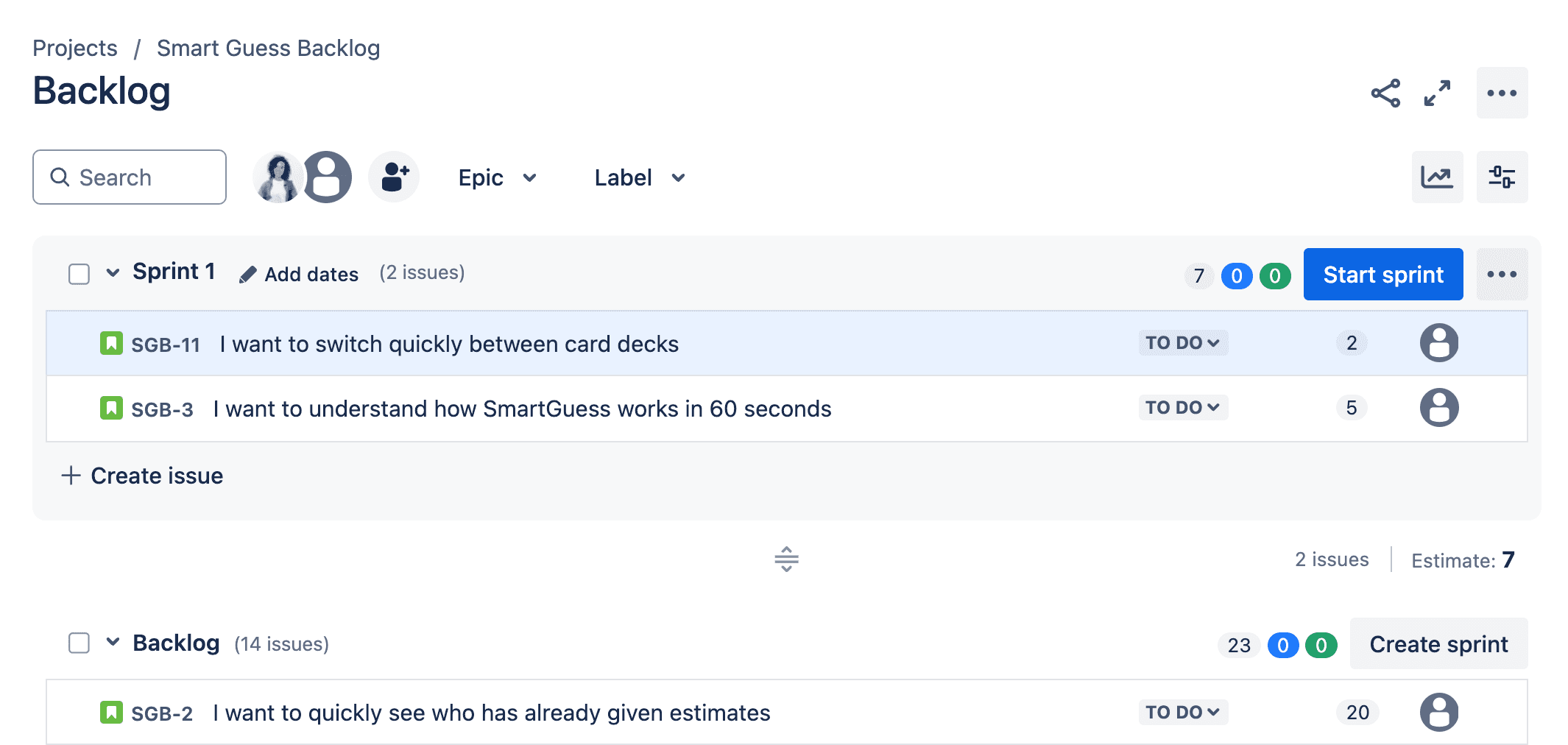
Estimates gain value with predictability.
Best Practices when using Relative Estimates
Use estimates for:
- Release Planning: Forecasting which features can be delivered by specific dates, aiding in setting realistic release schedules.
- Backlog Prioritization: Determining the order in which tasks or features should are implemented based on their estimated effort and value.
- Decision-Making: On how you implement your solution when different solution options, effort and value, are present.
- Capacity Planning: Assessing the team’s workload capacity to ensure they are not overcommitted.
- Identifying High-Risk Items: Highlighting important tasks with high effort to recognize potential risks or complexities that may need further analysis and potential scope cutting.
Don't use estimates to:
- Compare teams performance: One team's velocity is inherently not comparable to another team's velocity. Velocity is a relative measure that only holds meaning within the team that produces it.
- Assess Individual Performance: Using estimates to judge individual contributions can create unhealthy competition and undermine collaboration. Often the most valuable team member is the person who is sharing his knowledge and knowhow generously.
- Push Estimates Down: Forcing teams to commit to lower estimates can lead to unrealistic expectations, compromised quality and toxic working environment for team members.
- Setting Fixed Deadlines: Treating estimates as exact timelines can result in undue pressure and toxic development environment
By following these steps, you’ll make your Planning Poker refinement sessions more effective, leading to better planning and alignment within your team. Happy estimating!
