Configuration: Smart Guess Now Lets You Customize Card Deck & Timer for Planning Poker (Part 3)
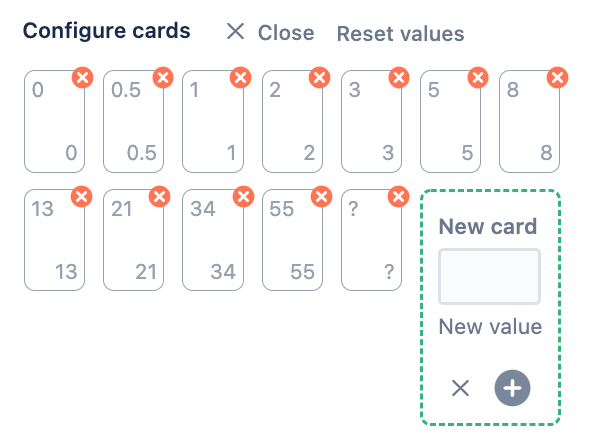
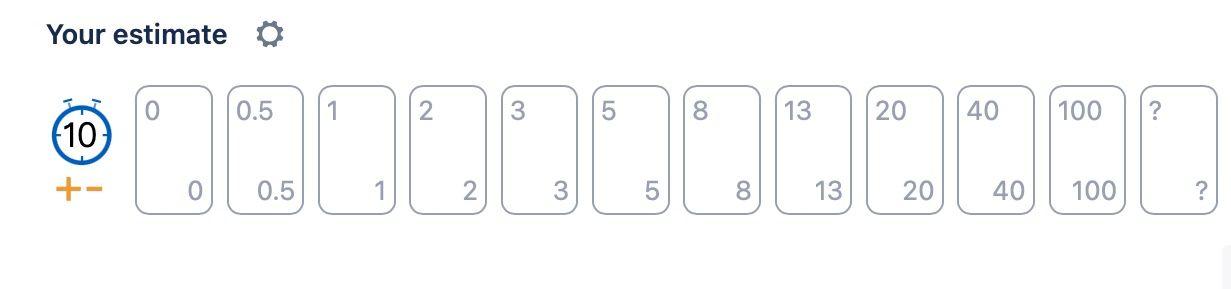
Inspired by a discussion with a customer who just switched over to Smart Guess and explained they have been using the Fibonacci sequence and asked how to configure Smart Guess and move from the default setup:
To use the Fibonacci sequence:
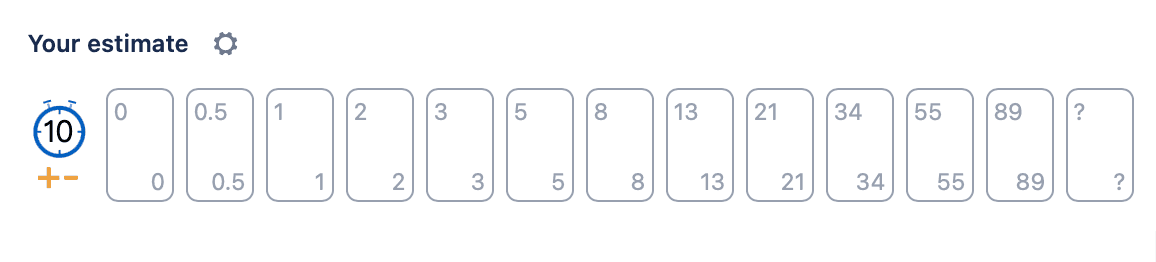
Last Wednesday when the customer contacted us this wasn't possible. However, two days later, last Friday, we made these changes available so customers can now set up the estimation cards as they prefer.
Timer now fully configurable
Following through on this and allowing teams to setup Smart Guess as it best suits every team, the Timer has been made configurable. Now you can easily:
- Edit the Timer default "count down value."
- Remove the Timer when it's not in use.
Here is how Card and Timer configuration works
Updating to the latest version
This is a minor update and is automatically made available. However, the previous update since the 7th of March 2022 was a major update and requires two steps to install.
To update to the latest version:
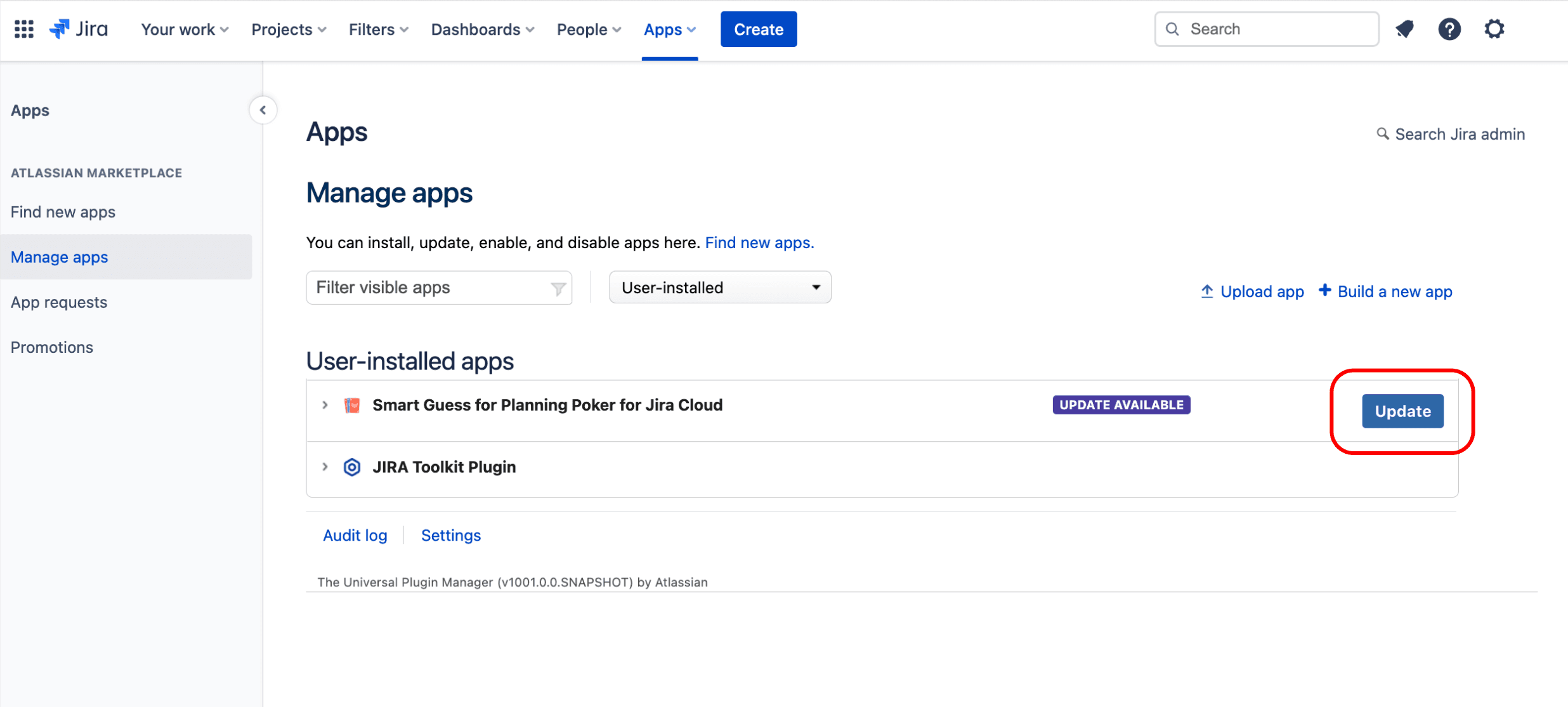
- Click "Apps -> Manage Apps" from the Jira top navigation
- Find "Smart Guess" in the list and click "Update."